The decision
Should you choose Applore?
Try a small original brief and inspect the final files before purchasing a plan.
Best for
Indie developers evaluating an app-icon direction; Designers building a reference-led concept.
Choose something else if
Buyers seeking licensed reuse of existing app icons; Teams requiring guaranteed unique AI designs
Evidence
Verified research · rating withheld
Pricing checked
From $9.99 · Nov 10, 2026
Free access is available, with limits.
10 signup credits; limited library browsing, downloads and AI search; free previews and quick exports advertised.
DiscoverAI may earn a commission if you sign up or buy through our Applore affiliate link, at no additional cost to you. This relationship does not determine our verdict.
In this guide
Short answer
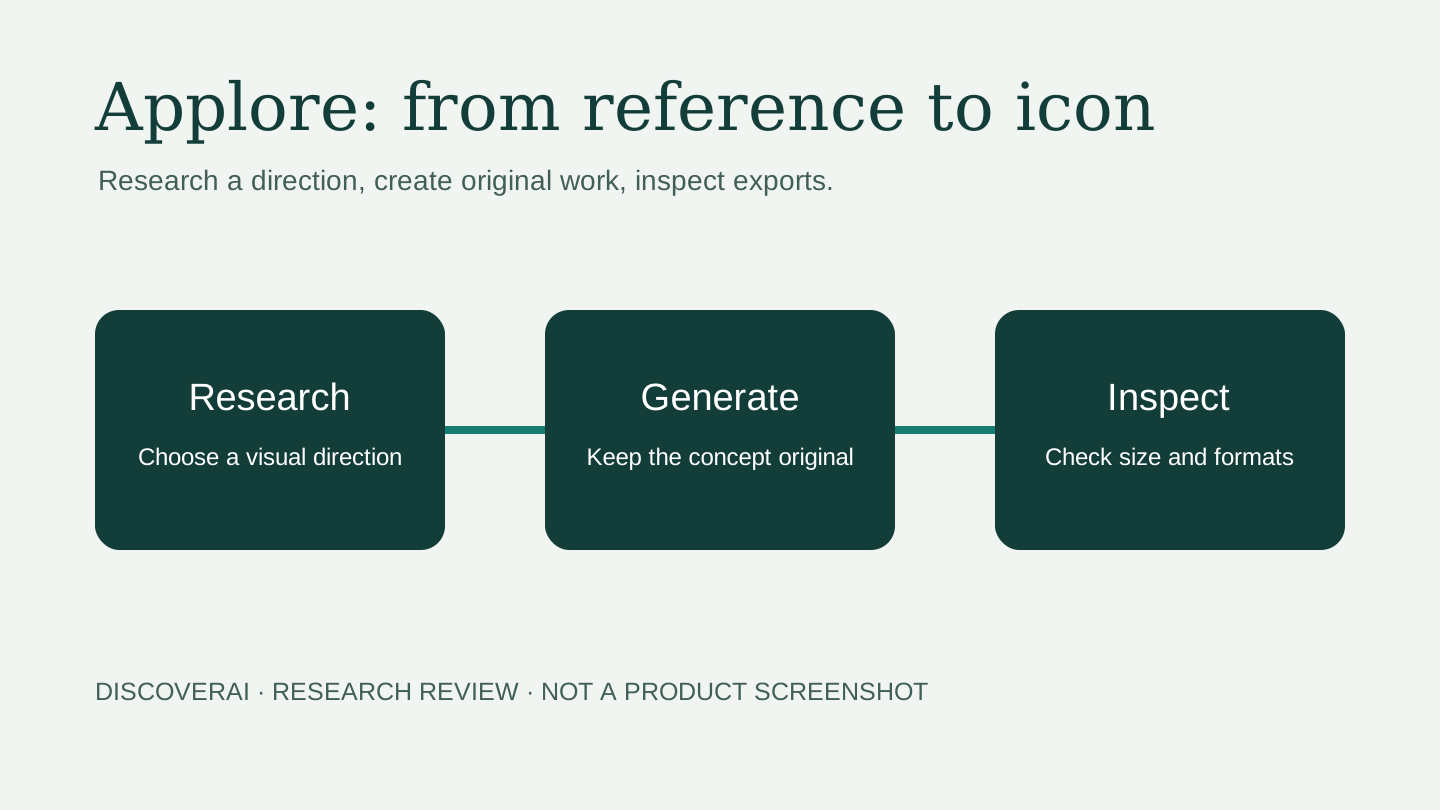
Applore is worth shortlisting for developers who want to research an app-icon direction and create a candidate in the same workspace. Its useful promise is a shorter path from reference to a usable asset. Decide on the quality of your exported icon, its readability and its distinctiveness before paying for a larger allowance.
Affiliate disclosure: DiscoverAI may earn a commission if you sign up or buy through our Applore affiliate link, at no additional cost to you. This relationship does not determine our verdict.
Free buyer comparison checklist
Compare this tool before committing.
Use the buyer checklist to compare two tools on the same tasks, including quality, review time and total cost. Get the weekly top 5 AI tools, one practical workflow and one way to reduce AI spending.
Evidence and review scope
We reviewed official public pages on November 10, 2026 after receiving a maker submission. This is a documentation-based assessment. We did not create an account, generate icons, download exports, buy a plan or contact support. Ratings are withheld. The evaluation below is a proposed buyer test, not a report of measured results.
What Applore does
The homepage presents a library of real app icons organized by visual characteristics and category, alongside icon histories and creation tools. The appeal is being able to investigate a category before choosing a direction. Treat that research as context for an original brief.
The generator accepts descriptions, styles and reference images. It documents refinement, model selection and 1024 × 1024 PNG output, with further SVG and export-pack options. Its model-quality and speed statements are vendor claims; we did not benchmark them. Output dimensions alone do not establish suitability for every destination.
For a developer who already has a final design, the preview and export workflow may matter more than generation. For someone who needs a coherent brand system, generating an icon is only one part of that work. Assess typography, color rules and use outside the app tile separately.
Pricing and credit tradeoffs
The pricing page displayed these launch offers during research:
| Option | Displayed price | Included AI credits |
|---|---|---|
| Free | $0 | 10 at signup |
| Pro | $9.99/month | 500 monthly |
| Max | $29.99/month | 2,000 monthly |
| Founder | $49 once | 800 once |
The page also offers yearly billing; we did not verify annual totals or complete checkout. Confirm the billing cycle, launch offer and renewal amount before purchase.
Standard icons cost 5 credits; premium choices can cost 15. SVG export lists 20 per style. The advertised 100 icons from Pro assumes the cheapest generation and excludes other work. For example, ten standard candidates plus two SVG styles cost 90 credits before refinements or other paid steps. This is arithmetic from the published schedule, not a tested invoice.
Free access and Founder limits
The help center distinguishes anonymous browsing from a signed-in free account: visitors see 96 icons per list, while free accounts see 300, with five original downloads and five AI searches daily. These are access limits, not licenses to reuse the designs. Check current limits inside the account if research volume matters.
It also says subscription credits expire monthly, while signup, purchased and Founder credits do not expire. Plan credits are used first. Top-up packs require membership. Do not equate a one-time Founder purchase with unlimited AI generation: it provides a fixed balance, with no monthly grant. The terms define the lifetime access period as the service’s operating life. Buy it for the access you value today rather than assuming unlimited future processing.
Originality and usage rights
The terms separate library references from generated work. Existing icons remain their owners’ property and cannot become your product’s branding. Generated assets are permitted in your products, but the service does not guarantee uniqueness or freedom from third-party rights.
A reference-driven tool needs a careful brief. Describe your product’s function and visual identity rather than requesting a recognizable competitor’s logo. Review the candidate beside nearby competitors and ask whether users could confuse them. For a commercially important brand, obtain appropriate professional clearance rather than treating an AI result as proof of ownership.
Privacy and uploaded assets
The privacy policy says prompts, reference uploads and generated images are stored with the account. Inputs may be sent to external model providers, sometimes through API intermediaries. It says those requests exclude your name and email; that does not make sensitive material inside a prompt or image anonymous.
Generated assets and references remain until deleted or the account is removed. Encrypted backups may retain data for up to 12 weeks after account deletion, and payment records may last longer. These are provider statements, not an independent security audit. Use non-confidential test assets first; confirm processing arrangements before uploading unreleased client branding.
A practical buyer test
Use this proposed evaluation before upgrading:
- Write an original brief: product purpose, audience, two colors, one visual concept and explicit exclusions. Use references you have permission to upload.
- Generate a small batch and record settings, credits spent, discarded attempts and correction time. Keep the brief fixed when comparing models.
- Inspect each candidate at actual home-screen size. Reject confusing silhouettes, illegible lettering and accidental resemblance to another brand.
- Preview light and dark surroundings and realistic neighboring icons. Check whether the identity still reads without a large presentation mockup.
- Download the formats you need. Open SVG files in your actual editor and inspect paths and shapes. Check export contents against the current requirements of your target build pipeline.
- For Android delivery, inspect the foreground/background separation and masking in your development tools. A resized square image alone does not prove an adaptive-icon package works.
- Divide spending by approved candidates and record export-fix time separately. Keep editable source files and final exports outside the service.
Set acceptance criteria before the trial. A useful result should be distinctive, readable, technically usable and less costly in total effort than your current workflow. A completed generation that looks wrong is different from a failed processing job; the documented automatic credit return for failed jobs does not promise free aesthetic retries.
Who should consider it?
Applore makes the most sense when app-icon work recurs and the reference library saves meaningful research time. Start free if you are exploring one idea. Consider paid access only after identifying the research limits or generation volume that block your work.
Compare the complete workflow with your current design editor and a designer-led concept. Those approaches may provide more control or broader brand development. This review does not establish a measured winner. The AI tool buyer checklist can help weight cost, control and data requirements.
Our recommendation
Use Applore to explore a direction, then approve the icon independently of the tool that generated it. Verify credits, selected billing and the final exported files before committing. The disclosed Applore buttons on this page use our affiliate link; the Applore tool profile provides the structured summary.
Transparency
How this guide was checked
Editorial accountability
Who checked this guide
- Evaluation type
- Hands-on evaluation
- Last materially checked
- Evidence
- 6 listed sources
Hands-on testing is identified explicitly. Research-based coverage uses cited product documentation and other named sources; it does not imply every paid plan was used. Read the full methodology.
Editorial freshness
Displayed launch prices checked; annual checkout and paid entitlements not tested.
Review evidence
What this guidance is based on
- Evaluation type
- First-party documentation review; no hands-on benchmark
- Research date
- November 10, 2026
- Commercial relationship
- Supplied affiliate link; disclosed
Important limits
- • No account, generation, export, purchase, cancellation or support tests performed.
- • Annual prices and selected checkout totals not verified.
- • No independent quality, originality, speed or app-store acceptance benchmark.
Standardized benchmark coverage
How this review maps to the research benchmark
Citation accuracy
Not applicableThe reviewed workflow does not produce source-grounded research answers, so a citation score would be misleading.
Read protocol v2026.10-v1 →Thematic analysis
Not applicableThe reviewed workflow is not qualitative evidence analysis, so a thematic-analysis score would be misleading.
Read protocol v2026.10-v1 →Eligibility is not a product score. DiscoverAI publishes results only after output collection, blinded adjudication, reproducibility checks, and severe-error review.
Open the optional evaluation worksheet
Reusable trial worksheet
Test Applore before you commit
Turn this review’s buyer test into evidence. Your entries autosave only in this browser and are never added to shared shortlist links.
Confirm the tool meets every must-have workflow and stakeholder requirement.
Review starting point: Indie developers evaluating an app-icon direction; Designers building a reference-led concept
Run the same representative work you would use in production; do not score a polished demo.
Review starting point: Run a bounded set of representative tasks with known acceptable outcomes, then compare the result with your current workflow.
Calculate the effective cost per accepted result, including usage, review, corrections, and required add-ons.
Review starting point: Launch prices displayed November 10, 2026: Pro $9.99/month, Max $29.99/month and Founder $49 once. Confirm the selected billing cycle and checkout total; annual totals were not verified.
Define an acceptance threshold, test known answers and edge cases, and record every correction.
Review starting point: Editorial quality signals: features 0.0/5. Validate these signals in your own work.
Verify what data enters the product, who can access it, how long it is retained, and whether it trains models.
Review starting point: Use approved low-risk data first. Check roles, consent, deletion, subprocessors, model-training settings, and the contract—not only the marketing page.
Test the real handoffs, permissions, failure states, and export path your team depends on.
Review starting point: Applore integration requirements are not fully structured in this review; list every required system and test each connection.
Record training, governance, reliability, accessibility, ownership, and change-management risks before rollout.
Review starting point: Monthly plan credits expire; Premium models and exports consume extra credits; Library assets cannot become your branding
Loading saved worksheet… · private to this device or your optional account
Community evidence
How verified users put Applore to work
Structured, editor-moderated experience—not star ratings. This complements our independent review and never changes its score.
No approved community evidence yet. Be the first verified user to contribute.
Community choice
Recommend Applore
Loading weekly votes…
One vote per verified account per tool, counted for seven days. Return after your vote expires to support again. Community votes influence homepage trends, never editorial ratings. Voting does not subscribe you to emails.
Sources and references
References cited by this article. Check the original source for scope, dates and current terms.
Frequently asked questions
What is Applore best for?
Indie developers and designers researching an app-icon direction and evaluating an integrated generation and export workflow. This is a research-based fit assessment.
Is Applore free?
Free accounts get 10 signup credits and limited library access. Standard icons cost 5 credits; premium choices can cost 15, so two free icons is not guaranteed for every model.
How much does Applore cost?
Launch prices displayed November 10, 2026: Pro $9.99/month, Max $29.99/month and Founder $49 once. Confirm the selected billing cycle and checkout total; annual totals were not verified.
Does Founder include unlimited AI generation?
No. It includes 800 credits without a recurring monthly grant. Access lasts for as long as the service operates, according to its terms.
Can I use library icons in my own app?
No. Library images are references belonging to their owners. Generated work is permitted in your products under Applore’s terms, but uniqueness and freedom from third-party rights are not guaranteed.
Did DiscoverAI test Applore?
No. We reviewed official public pages on November 10, 2026. No generation, exports, purchases or support tests were performed; ratings are withheld.
Recommended tool
Use Applore if this workflow fits your team
Try a small original brief and inspect the final files before purchasing a plan.
DiscoverAI may earn a commission if you sign up or buy through our Applore affiliate link, at no additional cost to you. This relationship does not determine our verdict.
Tools mentioned in this article
Applore
Research app icons, then generate and prepare your own
Applore combines an app-icon reference library with AI icon generation, previews and export tools.
Read next