At a glance
Should you choose Voice AI for Canva?
Voice AI for Canva is worth investigating if your team already builds videos or presentations in Canva and wants to add narration in the same workflow. Its value depends on a usable finished recording, not the size of its voice catalog. A voice that sounds pleasant in a sample can still mispronounce your organization's name or make a price unclear.
Best for
Canva users narrating presentations and short videos.
Choose something else if
Website samples are not a live generation trial; Free allowance and data-retention details need confirmation
Evidence
Verified research · rating withheld
Pricing checked
See current vendor pricing · Price not yet checked
Free access is available, with limits.
Submission describes limited free access; exact allowance was not verified.
In this guide
Short answer
Voice AI for Canva is worth investigating if your team already builds videos or presentations in Canva and wants to add narration in the same workflow. Its value depends on a usable finished recording, not the size of its voice catalog. A voice that sounds pleasant in a sample can still mispronounce your organization's name or make a price unclear.
This research-based review checks official pages on November 18, 2026. We have not installed the app, generated audio, purchased a plan or tested voice cloning. Ratings are withheld. Links are direct; no affiliate destination is configured. This review concerns the Canva app at voicesai.app, not similarly named voice products.
Free buyer comparison checklist
Compare this tool before committing.
Use the buyer checklist to compare two tools on the same tasks, including quality, review time and total cost. Get the weekly top 5 AI tools, one practical workflow and one way to reduce AI spending.
Where generation happens
The official website offers prerecorded samples. Actual script-to-speech generation happens inside its Canva app, where generated audio can be added to a design. Speaking-speed controls depend on the chosen voice. The site advertises more than 1,800 voices; we have not independently checked that catalog.
For a small marketing team, the potential benefit is fewer handoffs between writing, audio production and layout. That remains an editorial inference until you test your own production sequence. If you need a separate audio-delivery workflow, establish export and reuse requirements before deciding that an integrated app is the best fit.
What the plans cost
The pricing page lists monthly Basic at $10.99 for 50,000 characters, Advanced at $20.99 for 200,000 and Unlimited at $30.99. Voice-clone slots are separately limited to 10, 30 and 999 respectively. Final offers and charges appear in Canva; web subscriptions are not available.
Character usage is counted at generation. Budget for revisions, not only the approved script. Premium commercial use is advertised subject to the product terms. Cancellation retains access through the current billing period. We did not verify the exact free allowance, so do not plan a campaign around an assumed free quota.
Proposed test: a narrated workshop invitation
Create a fictional invitation to a small-business workshop. Include an unfamiliar organization name, a date, a price and a sentence explaining who should attend. Write the correct pronunciation and intended meaning beside each. This is a proposed exercise, not a claim about output we produced.
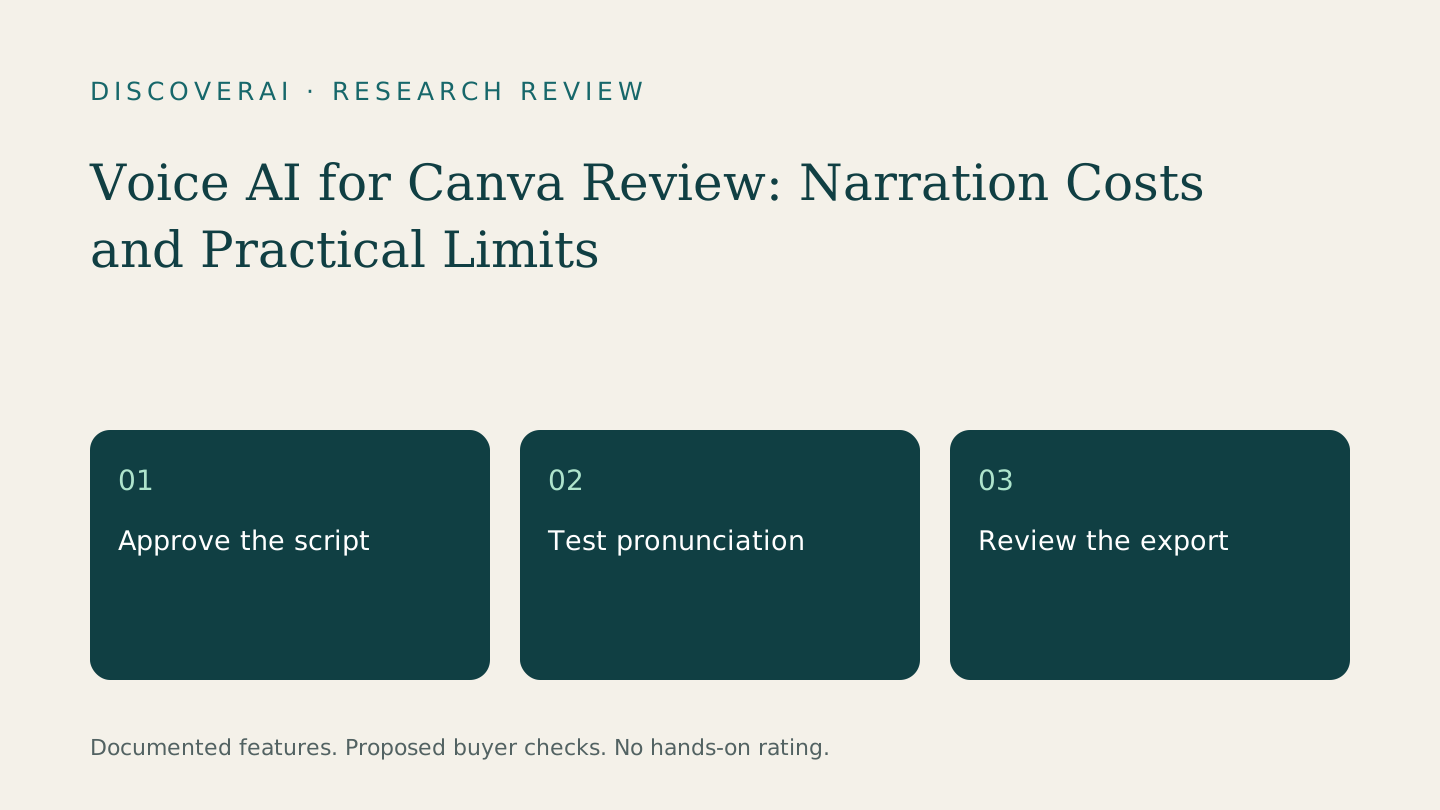
First, approve the script before generating anything. Remove phrases that only make sense when read silently. Decide how a URL or acronym should sound. Keep the exact input so that later revisions can be attributed to the script, voice choice or production settings.
Generate a short passage before the full narration. Ask a listener to write down the date and price without seeing the slides. If they cannot, revise and retest. Listen for a pause that changes meaning, an acronym read as a word or a number spoken incorrectly. A natural-sounding performance can still communicate the wrong information.
Then place the narration into the actual presentation. Check that the final sentence finishes before the next slide and that the call to action remains readable long enough. Review captions against what the voice actually says. Include a text alternative for people who cannot hear the narration.
Measure the full revision cost
Use the same approved script for a manual recording and an AI-assisted version. Track preparation, generation attempts, corrections and assembly. A self-recorded voice may be the better baseline for a personal announcement; a repeatable synthetic voice may be worth evaluating for frequently updated instructional material. These are selection criteria, not comparative performance findings.
As a fictional budget exercise, a 2,000-character script generated three times consumes 6,000 characters if every full generation is counted. That arithmetic illustrates why an allowance is not a count of finished videos. Check your actual usage meter and how partial regenerations are billed before forecasting a month of work.
Use the trial scorecard to record accepted recordings and editing time. Compare costs per approved video rather than per first draft. Before adding another subscription, consult the guide to AI in software you already pay for.
Questions before cloning a voice
A listed cloning feature is not permission to copy a colleague, client or public figure. For a business pilot, start with an offered voice rather than someone else's likeness. If you later use an authorized clone, record permission for the intended use and determine who can access and remove it.
The pages checked do not establish detailed retention, training or deletion terms for uploaded voice samples. Obtain those terms before uploading sensitive material. We have not verified account controls, team administration or whether a particular plan meets your organization's requirements.
Verdict
Shortlist Voice AI if Canva is already your production environment and a short pronunciation test succeeds. Avoid committing to volume until you have inspected the finished export, measured rework and confirmed the charge shown in Canva. Treat the public samples as a starting point for choosing what to test, not proof of production readiness.
Transparency
How this guide was checked
About this article
How this article was prepared
- Evaluation type
- Hands-on evaluation
- Last reviewed
- Evidence
- 2 listed sources
We label hands-on testing separately. Research-based articles draw on product documentation and other cited sources, rather than direct use of every plan. Read the full methodology.
Editorial freshness
Pricing and material product claims were checked November 18, 2026.
Review evidence
Sources and testing
- Evaluation type
- Official-source research; no hands-on testing
- Research date
- November 18, 2026
Important limits
- • No purchase, account, output-quality or support test performed.
- • Vendor documentation does not establish measured reliability or suitability.
Standardized benchmark coverage
How this review maps to the research benchmark
Citation accuracy
Not applicableThe reviewed workflow does not produce source-grounded research answers, so a citation score would be misleading.
Read protocol v2026.10-v1 →Thematic analysis
Not applicableThe reviewed workflow is not qualitative evidence analysis, so a thematic-analysis score would be misleading.
Read protocol v2026.10-v1 →Eligibility is not a product score. DiscoverAI publishes results only after output collection, blinded adjudication, reproducibility checks, and severe-error review.
Open the optional evaluation worksheet
Reusable trial worksheet
Test Voice AI for Canva before you commit
Turn this review’s buyer test into evidence. Your entries autosave only in this browser and are never added to shared shortlist links.
Confirm the tool meets every must-have workflow and stakeholder requirement.
Review starting point: Canva users narrating presentations and short videos
Run the same representative work you would use in production; do not score a polished demo.
Review starting point: Run a bounded set of representative tasks with known acceptable outcomes, then compare the result with your current workflow.
Calculate the effective cost per accepted result, including usage, review, corrections, and required add-ons.
Review starting point: Basic $10.99/month for 50,000 characters; Advanced $20.99 for 200,000; Unlimited $30.99. Final charges appear in Canva.
Define an acceptance threshold, test known answers and edge cases, and record every correction.
Review starting point: Editorial quality signals: features 0.0/5. Validate these signals in your own work.
Verify what data enters the product, who can access it, how long it is retained, and whether it trains models.
Review starting point: Use approved low-risk data first. Check roles, consent, deletion, subprocessors, model-training settings, and the contract—not only the marketing page.
Test the real handoffs, permissions, failure states, and export path your team depends on.
Review starting point: Voice AI for Canva integration requirements are not fully structured in this review; list every required system and test each connection.
Record training, governance, reliability, accessibility, ownership, and change-management risks before rollout.
Review starting point: Website samples are not a live generation trial; Free allowance and data-retention details need confirmation
Loading saved worksheet… · private to this device or your optional account
Community evidence
How verified users put Voice AI for Canva to work
Structured, editor-moderated experience—not star ratings. This complements our independent review and never changes its score.
No approved community evidence yet. Be the first verified user to contribute.
Community choice
Recommend Voice AI for Canva
Loading weekly votes…
One vote per verified account per tool, counted for seven days. Return after your vote expires to support again. Community votes influence homepage trends, never editorial ratings. Voting does not subscribe you to emails.
Sources and references
References cited by this article. Check the original source for scope, dates and current terms.
Frequently asked questions
Can I generate audio on voicesai.app?
The website provides prerecorded samples; generation takes place in the Canva app.
Is a free quota confirmed?
No exact free allowance was verified in the checked official pages.
Does this review include an audio test?
No. It is based on documentation and includes a proposed narration exercise.
What matters most in a trial?
Check pronunciation, date and price comprehension, slide timing, export quality and the time spent correcting the finished video.
Recommended tool
Use Voice AI for Canva if this workflow fits your team
Voice AI for Canva is worth investigating if your team already builds videos or presentations in Canva and wants to add narration in the same workflow. Its value depends on a usable finished recording, not the size of its voice catalog. A voice that sounds pleasant in a sample can still mispronounce your organization's name or make a price unclear.
Tools mentioned in this article
Voice AI for Canva
Review Voice AI for Canva: character allowances, in-app generation and a narration test for presentations, training videos and client campaigns.
Review Voice AI for Canva: character allowances, in-app generation and a narration test for presentations, training videos and client campaigns.
Read next