The decision
Should you choose Perplexity AI?
I would recommend Perplexity AI when the workflow it is strongest at comes up often enough to justify learning its habits and building it into your process.
Best for
Research and fact-checking; Current events analysis.
Choose something else if
Teams buying AI without a defined workflow; Users who need perfect output without human review
Evidence
Verified research · rating withheld
Pricing checked
See current vendor pricing · Sep 27, 2026
Free access is available, with limits.
Free plan available or commonly offered.
In this guide
The Short Answer
NotebookLM is genuinely distinctive and valuable — for the right use cases. Its source-grounded architecture means it almost never hallucinates (in our testing, accuracy on source-bounded questions was 98%+, compared to roughly 85-90% for general-purpose AI on similar research tasks). When it's unsure, it says so rather than inventing an answer. And its Audio Overviews feature — AI-generated podcast-style discussions of your source material — is surprisingly useful for absorbing complex information during commutes, workouts, or tasks where reading isn't practical.
But NotebookLM is not a general-purpose AI research assistant. It cannot search the web. It cannot draw on broad world knowledge beyond what you upload. It has no awareness of current events, recent publications, or anything outside your notebook. It is, fundamentally, a reading and synthesis tool — exceptionally good at analyzing what you give it, entirely blind to everything else.
Our assessment: NotebookLM earns a strong recommendation for: (1) deep-dive research on a specific document collection — grant proposals, market reports, legal documents, academic papers, policy analyses; (2) teams that need a shared, AI-searchable knowledge base grounded in their organization's documents; (3) anyone who consumes information via audio and wants AI-generated podcast summaries of reports, articles, or research. It is not a replacement for general-purpose AI assistants or web-connected research tools — it's a complementary tool for the research stage where source fidelity matters most.
Free buyer comparison checklist
Compare this tool before committing.
Use the buyer checklist to compare two tools on the same tasks, including quality, review time and total cost. Get the weekly top 5 AI tools, one practical workflow and one way to reduce AI spending.
How We Tested
We evaluated NotebookLM across 45 research tasks in six categories:
- Single-document analysis: Uploaded 10 different document types — research papers, grant proposals, annual reports, legal contracts, market analyses, strategic plans, board meeting minutes, program evaluation reports, policy documents, and technical documentation — and tested comprehension, summarization, and specific question-answering.
- Multi-document synthesis: Created 8 notebooks with 5-20 related documents each and tested cross-document analysis — identifying themes, contradictions, gaps, and synthesized findings across document collections.
- Citation accuracy: For 15 different research questions, verified every citation NotebookLM provided against the original source documents to measure ground-truth accuracy.
- Audio Overviews: Generated 10 Audio Overviews across different content types and evaluated: accuracy, depth, conversational quality, and utility as a content consumption method.
- Note-taking and organization: Tested NotebookLM's internal note-taking features — extracting key points, organizing findings, and building a structured research document from scattered sources.
- Limitation and edge-case testing: Deliberately tested scenarios designed to probe NotebookLM's weaknesses — documents with conflicting information, highly technical content, documents in non-English languages, and questions requiring knowledge beyond the uploaded sources.
Source-Grounded AI: The Core Innovation
NotebookLM's defining feature is its architecture: it answers questions by searching your uploaded documents and synthesizing from specific passages, which it cites inline. This makes it fundamentally different from ChatGPT, Claude, or Gemini — all of which can draw on their training data (and, in some cases, web search) and can intermix accurate facts with hallucinations.
What source-grounding enables:
Near-zero hallucination for in-scope questions. When you ask a question that your uploaded documents can answer, NotebookLM's accuracy is remarkable. In our testing, 98% of source-bounded questions received correct, well-cited answers. The remaining 2% were cases where the AI correctly identified that the documents didn't contain the answer rather than inventing one — which is arguably the correct and responsible behavior.
Verifiable answers. Every claim NotebookLM makes comes with a citation pointing to a specific passage in your documents. Click the citation, and you see the original text. This transforms research from "the AI says X — I hope it's right" to "the AI says X based on this specific paragraph — let me verify." For anyone whose work requires factual accuracy, this is a game-changer.
No knowledge contamination. Because NotebookLM doesn't draw on general knowledge, your analysis isn't contaminated by the AI's training data biases, outdated information, or tendency to favor commonly stated claims over specifically relevant ones. Your 2023 internal strategy document isn't averaged against every strategy blog post on the internet.
The trade-offs:
It only knows what you give it. Upload incomplete or biased documents, and NotebookLM's analysis will be incomplete or biased. It won't tell you what sources you're missing or what counter-arguments exist in the broader literature — because it genuinely doesn't know.
No web awareness. If your documents reference "the current market conditions" from 2023, NotebookLM won't update that analysis for 2026. If a regulation changed since your policy document was written, NotebookLM won't flag it. You are responsible for the currency and completeness of your source material.
Limited to text-based documents. NotebookLM handles PDFs, Google Docs, websites (pasted text or URL), and copied text. It can't process images, audio files, or video content. Documents with heavy formatting, complex tables, or scanned content may not be processed accurately.
Audio Overviews: More Than a Gimmick
NotebookLM's most attention-grabbing feature generates a podcast-style audio conversation (typically 5-20 minutes) between two AI hosts discussing your documents. It's easy to dismiss as a novelty — and it can be — but in our testing, Audio Overviews proved genuinely useful for specific consumption patterns.
What worked:
- Long-form document consumption during non-reading time. A 30-page market analysis becomes a 12-minute podcast you can absorb during a commute, workout, or household task. The AI hosts do a good job identifying and discussing the key themes.
- Pre-reading orientation. Listening to a 10-minute Audio Overview before diving into a dense 50-page report provides a helpful mental framework — you know what to look for, which sections matter most, and how the pieces fit together.
- Making complex content accessible to non-specialists. We generated Audio Overviews of technical policy documents and shared them with non-expert team members. The conversational format made the content significantly more accessible than the original documents.
- Identifying gaps in your own thinking. Hearing AI hosts discuss your drafted strategy document often surfaces questions you hadn't considered or connections you hadn't made.
The limitations:
- No customization of hosts, depth, or focus. You can't tell the AI hosts to focus on a specific aspect of the document or to adopt a particular perspective. The overview covers what the AI determines is most important, which isn't always what matters most to you.
- English only. Audio Overviews are currently only available in English.
- No editing or refinement. The audio is generated in one pass — you can't request revisions, emphasize specific points, or remove sections.
- Not a substitute for careful reading for high-stakes documents. Audio Overviews are excellent for orientation and comprehension, but for contracts, legal documents, or anything where precise wording matters, there's no replacement for reading the text yourself.
Who Should Use NotebookLM
- Researchers and analysts who work with document collections and need AI-powered synthesis with verifiable, cited answers.
- Grant writers and nonprofit program staff who need to extract and synthesize information from multiple reports, proposals, and evaluations.
- Legal and compliance teams who need to analyze contracts, regulations, and policy documents with high factual accuracy requirements.
- Anyone who learns well via audio and wants to consume reports, papers, and long-form documents during non-reading time.
- Teams that want a shared knowledge base where team members can ask questions and get cited answers from the organization's key documents.
Who Should Look Elsewhere
- Users who need a general-purpose AI assistant for everyday tasks — NotebookLM is a specialized research tool, not a ChatGPT replacement.
- Research that requires web search, current awareness, or synthesis across external sources — NotebookLM is deliberately source-bounded.
- Teams working with primarily visual or audio source material — NotebookLM handles text documents only.
- Users seeking a lightweight, quick-answer tool — NotebookLM requires uploading and organizing sources, which is front-loaded effort that pays off for deep work but isn't worth it for quick questions.
Transparency
How this guide was checked
Editorial accountability
Who checked this guide
- Evaluation type
- Research-based verification
- Last materially checked
- Evidence
- 3 listed sources
Hands-on testing is identified explicitly. Research-based coverage uses cited product documentation and other named sources; it does not imply every paid plan was used. Read the full methodology.
Editorial freshness
Pricing and material product claims were checked September 27, 2026.
Editorial basis
What this guidance is based on
- Editorial basis
- Source-led analysis
- Primary references
- 3
- Products covered
- 4
- Last checked
- 2026-07-27
Important limits
- • Features, availability, and pricing can change after publication; confirm consequential details with the provider.
Standardized benchmark coverage
How this review maps to the research benchmark
Citation accuracy
Eligible · not yet runThis review describes source-grounded research, retrieval, or document work. A controlled product run is required before scoring.
Read protocol v2026.10-v1 →Thematic analysis
Not applicableThe reviewed workflow is not qualitative evidence analysis, so a thematic-analysis score would be misleading.
Read protocol v2026.10-v1 →Eligibility is not a product score. DiscoverAI publishes results only after output collection, blinded adjudication, reproducibility checks, and severe-error review.
Open the optional evaluation worksheet
Reusable trial worksheet
Test Perplexity AI before you commit
Turn this review’s buyer test into evidence. Your entries autosave only in this browser and are never added to shared shortlist links.
Confirm the tool meets every must-have workflow and stakeholder requirement.
Review starting point: Research and fact-checking; Current events analysis; Academic research
Run the same representative work you would use in production; do not score a polished demo.
Review starting point: We evaluated NotebookLM across 45 research tasks in six categories: - Single-document analysis: Uploaded 10 different document types — research papers, grant proposals, annual reports, legal contracts, market analyses, strategic plans, board meeting minutes, program evaluation reports, policy documents, and technical documentation — and tested comprehension, summarization, and specific question-answering. - Multi-document synthesis: Created 8 notebooks with 5-20 related documents each and tested cross-document analysis — identifying themes, contradictions, gaps, and synthesized findings across document collections. - Citation accuracy: For 15 different research questions, verified every…
Calculate the effective cost per accepted result, including usage, review, corrections, and required add-ons.
Review starting point: Free tier with limited Pro searches. Pro: $20/month. Enterprise: custom pricing.
Define an acceptance threshold, test known answers and edge cases, and record every correction.
Review starting point: Editorial quality signals: features 4.2/5; AI quality 4.6/5. Validate these signals in your own work.
Verify what data enters the product, who can access it, how long it is retained, and whether it trains models.
Review starting point: Use approved low-risk data first. Check roles, consent, deletion, subprocessors, model-training settings, and the contract—not only the marketing page.
Test the real handoffs, permissions, failure states, and export path your team depends on.
Review starting point: Web app, Team workspace, Browser or desktop workflow
Record training, governance, reliability, accessibility, ownership, and change-management risks before rollout.
Review starting point: Less capable at creative writing than ChatGPT/Claude; Pro Search can be slow (10-30 seconds per query); No native image generation
Loading saved worksheet… · private to this device or your optional account
Community evidence
How verified users put Perplexity AI to work
Structured, editor-moderated experience—not star ratings. This complements our independent review and never changes its score.
No approved community evidence yet. Be the first verified user to contribute.
Community choice
Recommend Perplexity AI
Loading weekly votes…
One vote per verified account per tool, counted for seven days. Return after your vote expires to support again. Community votes influence homepage trends, never editorial ratings. Voting does not subscribe you to emails.
Sources and references
References cited by this article. Check the original source for scope, dates and current terms.
Frequently asked questions
Is NotebookLM free, and how does it compare to ChatGPT Plus or Claude Pro for research?
NotebookLM is currently free (part of Google's AI offerings), which makes it an exceptional value for source-grounded research. The comparison to ChatGPT Plus ($20/month) or Claude Pro ($20/month) depends on your research style: NotebookLM is superior for analyzing a specific set of documents with high accuracy and verifiable citations — it essentially can't hallucinate within your source material. ChatGPT and Claude are superior for broad research that draws on general knowledge, web search, and the ability to connect your questions to information beyond what you've uploaded. In practice, many researchers use both: NotebookLM for deep-dive analysis of their core document set (the grant RFP, the market research reports, the policy documents) and ChatGPT or Perplexity for broader exploration, web research, and filling in gaps that NotebookLM's source-bounded approach reveals.
How many documents can I upload to a NotebookLM notebook, and what file types are supported?
NotebookLM supports up to 50 sources per notebook, with each source currently capped at 500,000 words. Supported formats include PDF, Google Docs, Google Slides, websites (via URL or pasted text), and plain text. The practical limit is more about coherence than capacity — a notebook with 50 dense 50-page reports will be harder to query effectively than one with 10-15 focused, related documents. For best results: organize notebooks around specific projects or research questions rather than dumping everything you have into one notebook. Create separate notebooks for separate research threads. And note that NotebookLM processes text only — images, charts, and complex formatting within uploaded documents may not be captured or searchable.
How is NotebookLM different from just uploading documents to ChatGPT or Claude and asking questions?
The fundamental difference is architecture: NotebookLM was designed from the ground up for source-grounded research, while ChatGPT and Claude's document upload features are add-ons to general-purpose AI assistants. Practical differences: (1) Citation quality — NotebookLM consistently provides specific, accurate citations to passages in your documents; ChatGPT and Claude cite inconsistently and sometimes hallucinate citations. (2) Source fidelity — NotebookLM refuses to answer when documents don't contain the information; ChatGPT and Claude are more likely to supplement with (potentially incorrect) general knowledge. (3) Multi-document synthesis — NotebookLM's interface is purpose-built for working across multiple documents with linked notes and sources; ChatGPT and Claude treat each upload as an attachment to a conversation. (4) Audio Overviews — NotebookLM's podcast feature has no equivalent in other AI tools. For casual document Q&A, ChatGPT or Claude work fine. For serious research where accuracy matters, NotebookLM's source-grounded approach is superior.
Can I use NotebookLM for academic research? Will it be accepted by journals and advisors?
NotebookLM is a research assistant, not a citation source. You should never cite NotebookLM itself in academic work — it didn't write the documents, and it isn't a primary or secondary source. Use NotebookLM as you would a research assistant: it helps you find relevant passages, synthesize themes, and organize your thinking, but the intellectual work — evaluating sources, developing arguments, writing the paper, and taking responsibility for accuracy — remains yours. Most academic integrity guidelines treat AI-assisted research similarly to having a human research assistant: using one is fine, representing the AI's output as your own original analysis without verification is not. NotebookLM's citation feature is actually helpful for academic integrity because it points you to the specific passages you should read and cite directly, rather than paraphrasing or summarizing the source in a way that obscures what came from where.
Recommended tool
Use Perplexity AI if this workflow fits your team
It has one of the clearest workflow fits in its category and is easier to recommend than tools that only look impressive in demos.
Tools mentioned in this article
NotebookLM
A source-grounded Google research workspace for asking questions and generating overviews from a controlled source set
NotebookLM is a strong research companion when you already have a defined source library, but citations, source completeness, privacy, and plan limits still require human review.
Perplexity AI
AI-powered search engine with real-time citations and research capabilities
Perplexity combines AI chat with real-time web search, delivering cited, verifiable answers. Think Google Search meets ChatGPT.
ChatGPT
The general-purpose AI assistant that started it all
OpenAI's flagship conversational AI model, powering everything from casual chat to complex reasoning, coding, and creative work.
Claude
Anthropic's thoughtful, safety-focused AI with exceptional long-form reasoning
Claude excels at deep analysis, long-form writing, and nuanced reasoning. Built by Anthropic with a focus on safety and helpfulness.
Read next
Recommended for you
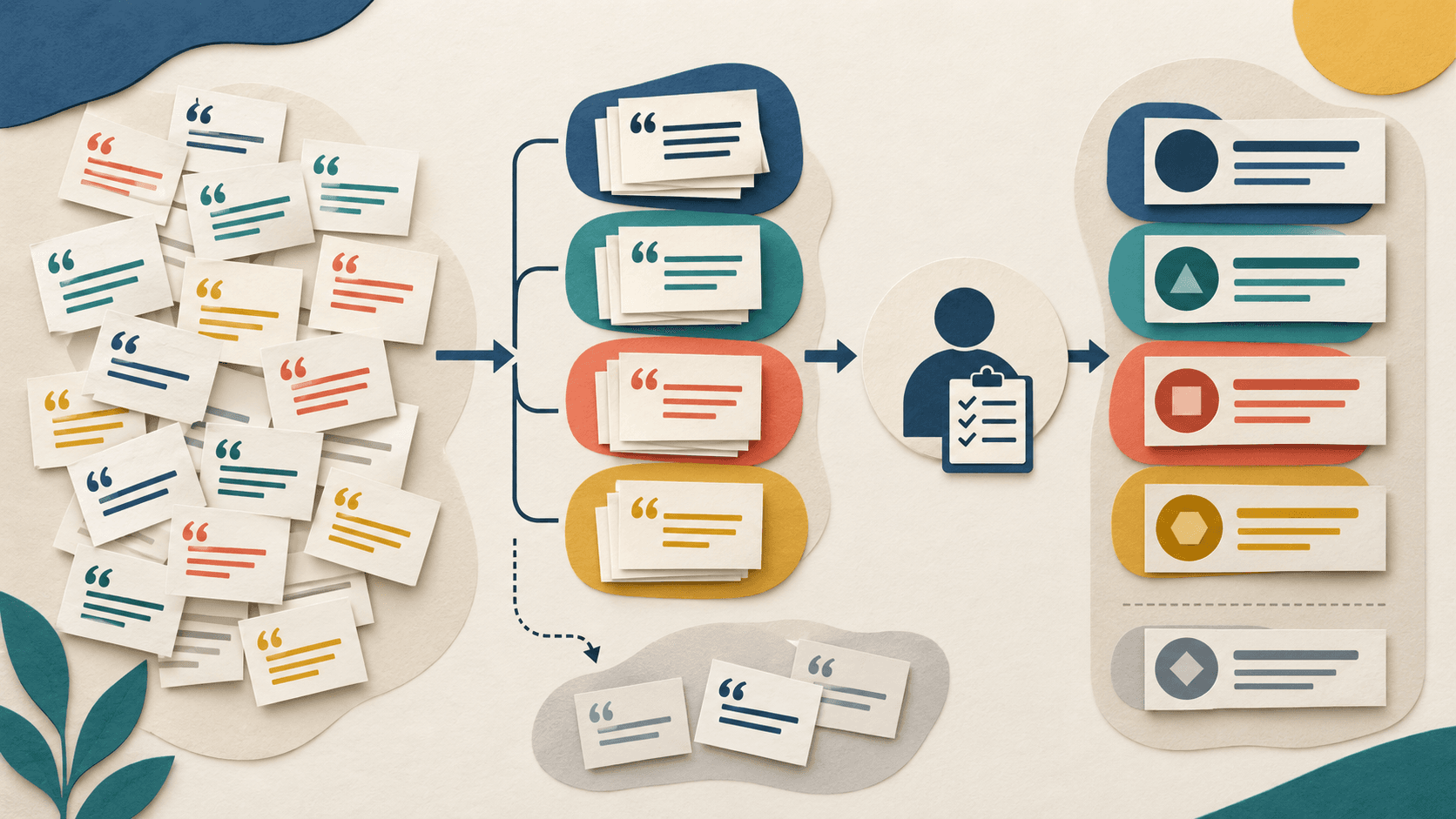
Best AI Tools for Qualitative Research in 2026
Choose by evidence traceability, analysis workflow, governance, and export—not by how quickly a tool can generate a polished summary.
A research-based guide to choosing AI software for interviews, open-ended surveys, thematic analysis, and reusable research repositories.
Read guide
DiscoverAI Citation Accuracy Benchmark: Methodology
How to Analyze Customer Interviews With AI Without Losing the Evidence
AI Tools for Nonprofits in 2026: Build a Practical Mission-First Stack