In this guide
Short answer
Start with one trigger, one constrained AI step and one reviewed output. Use a form-to-task workflow before giving an agent broad access to business tools. This guide proposes an implementation plan, not an imported template or a tested deployment. Documentation was checked October 12, 2026.
Step 1: Pick a small workflow and platform
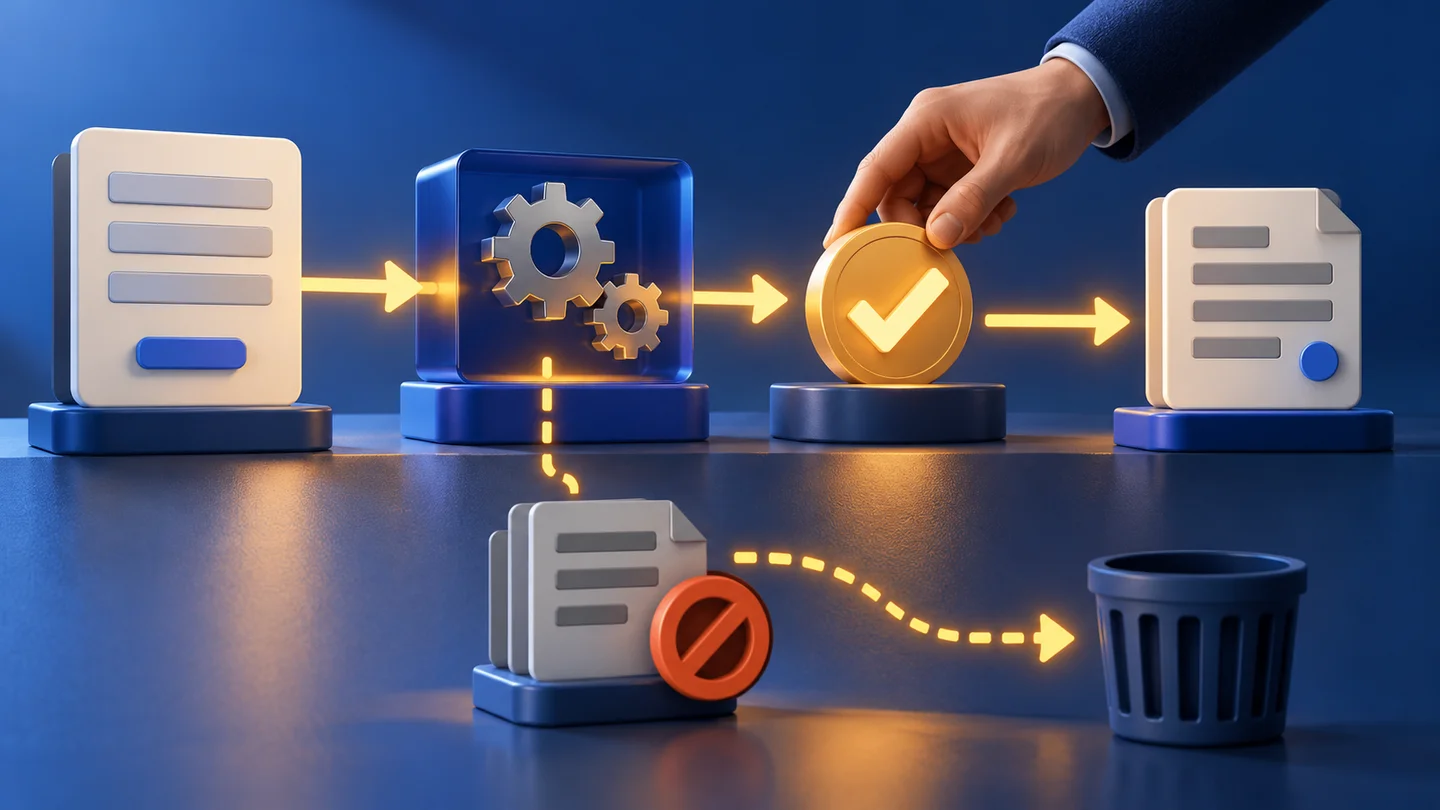
Example: a project-request form becomes a draft task in a review queue. An authorized reviewer approves its wording and destination before a second workflow creates the final task. Keep automatic sending, purchasing and deletion outside this first version.
Make's planning guide recommends defining applications, permissions, triggers and actions. Choose Make if its modules fit your apps and your team can maintain the scenario. Choose n8n if its node model and your operating setup fit your requirements. Neither choice removes responsibility for authentication or maintenance.
Step 2: Define a record contract
Use a stable request_id generated by your form system, submitted_at, topic and request_text. Keep approved, approved_by, approved_at and destination in a separate trusted review record. Do not allow a form submitter or the model to set approval fields.
The model should return only summary, category and missing_information. Use a fixed category list and a maximum summary length. Validate required fields and permitted values outside the model. Unknown categories go to review; they do not select a new destination.
Step 3: Connect accounts through stored credentials
Use a dedicated connection with access to a test sheet or task list. Store API keys in the platform's credential mechanism, never inside prompts, spreadsheet cells or the model's generated output. Check the requested OAuth permissions before authorizing. Keep a record of the account owner and how to revoke access.
The source text is data. Include an instruction that commands embedded in it must not change the workflow, reveal secrets or contact another destination. This instruction supports the design; fixed tool permissions and validation enforce the boundary.
Step 4: Build the drafting path
In Make, connect the form's trigger or webhook to validation, the selected AI module, output parsing and a review-row action. Use filters between modules to pass only valid records. A filter alone does not implement approval; the trusted approval record is a separate requirement.
In n8n, use the corresponding form/webhook trigger, field preparation, AI step, condition and storage nodes. Inspect the relevant node documentation for your version and provider. If using an AI Agent with tools, n8n documents human approval for tool calls. A deterministic draft workflow does not need an agent simply because it uses AI.
Step 5: Add an explicit approval path
Send the draft to a private review table. Show original request text beside the proposed summary so the reviewer can spot altered facts. Restrict editing of approval fields to authorized reviewers.
A second workflow reads approved records, checks the destination against a fixed allowlist, and creates the final task. Record the destination task ID against request_id. Before retrying, check whether that task already exists. If the destination offers an idempotency key, use it; otherwise implement a durable unique ledger. A lookup followed by create can race under concurrent runs, so test that behavior instead of claiming it prevents every duplicate.
Step 6: Test failures before scheduling
Use fictional inputs: a normal request, missing text, a repeated request_id, a request asking the model to ignore instructions, malformed output, a provider timeout and a revoked connection. Test two simultaneous copies of one request. The expected result is either one final task or a visible unresolved record.
Configure an error path with a request identifier and review link, without copying sensitive content into alerts. Make's error-handling reference describes its handling options. In n8n, assign an error workflow starting with Error Trigger. Check automatic-execution behavior: a manual test is not sufficient evidence that scheduled failures alert correctly.
Step 7: Budget the whole workflow
Make's credit documentation distinguishes operations and credits. AI costs vary with connection type: a custom provider can charge tokens separately from Make's module usage. Count retries, polling and destination actions too. For n8n, inspect your own execution plan and provider bill; cloud and self-hosted operating costs differ.
Keep a ledger of accepted tasks, failed runs, platform usage, provider charges and review minutes. Put a small processing limit on the pilot and identify who can disable it. Expand only after the ordinary path, duplicates and failures behave as expected.
Compare Make and n8n, then use our model-selection worksheet to choose the AI step.
Transparency
How this guide was checked
Editorial accountability
Who checked this guide
- Evaluation type
- Research-based verification
- Last materially checked
- Evidence
- 6 listed sources
Hands-on testing is identified explicitly. Research-based coverage uses cited product documentation and other named sources; it does not imply every paid plan was used. Read the full methodology.
Editorial basis
What this guidance is based on
- Editorial basis
- Source-led analysis
- Primary references
- 6
- Products covered
- 4
- Last checked
- 2026-10-12
Important limits
- • Features, availability, and pricing can change after publication; confirm consequential details with the provider.
Sources and verification
Product details and claims were checked against the following primary sources.
Frequently asked questions
Do I need an AI agent for this?
No. A fixed workflow with one AI transformation can be easier to validate and maintain.
Does a filter count as human approval?
No. Approval should come from a trusted record controlled by authorized reviewers, not form content or the model.
How do I avoid duplicate tasks?
Use a stable request ID and destination idempotency support or a durable unique ledger. Test concurrency and retries explicitly.
Tools mentioned in this article
Make
Visual workflow automation with app integrations, data tools, and AI agents
Make gives small teams unusually visible automation logic, but operation counts, error recovery, agent autonomy, and maintenance determine whether a scenario remains economical.
n8n
A flexible workflow-automation platform for AI agents, APIs, data, code, and human approvals
n8n offers unusually deep automation and deployment control, but workflow ownership, execution economics, credentials, failures, and self-hosting operations determine its real value.
Claude
Anthropic's thoughtful, safety-focused AI with exceptional long-form reasoning
Claude excels at deep analysis, long-form writing, and nuanced reasoning. Built by Anthropic with a focus on safety and helpfulness.
ChatGPT
The general-purpose AI assistant that started it all
OpenAI's flagship conversational AI model, powering everything from casual chat to complex reasoning, coding, and creative work.
Read next