DALL-E
A practical AI tool for image generation workflows
4.2
DALL-E helps professionals improve image generation workflows with AI-assisted drafting, automation, analysis, or production features.
FreemiumImage GenerationDesign
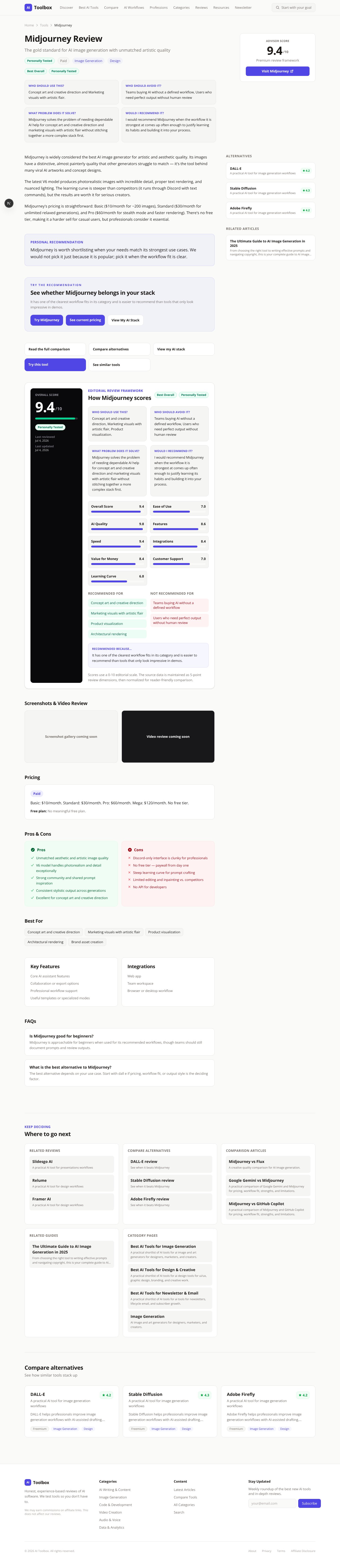
The gold standard for AI image generation with unmatched artistic quality
Advisor score
Not yet rated
Research guidance only
The decision
I would recommend Midjourney when the workflow it is strongest at comes up often enough to justify learning its habits and building it into your process.
Best for
Concept art and creative direction; Marketing visuals with artistic flair.
Choose something else if
Teams buying AI without a defined workflow; Users who need perfect output without human review
Evidence
Verified research · rating withheld
Pricing checked
See current vendor pricing · 2026-09-27
Free access is available, with limits.
No meaningful free plan.
Midjourney is widely considered the best AI image generator for artistic and aesthetic quality. Its images have a distinctive, almost painterly quality that other generators struggle to match — it's the tool behind many viral AI artworks and concept designs.
The latest V6 model produces photorealistic images with incredible detail, proper text rendering, and nuanced lighting. The learning curve is steeper than competitors (it runs through Discord with text commands), but the results are worth it for serious creators.
Midjourney's pricing is straightforward: Basic ($10/month for ~200 images), Standard ($30/month for unlimited relaxed generations), and Pro ($60/month for stealth mode and faster rendering). There's no free tier, making it a harder sell for casual users, but professionals consider it essential.
Personal Recommendation
Midjourney is worth shortlisting when your needs match its strongest use cases. We would not pick it just because it is popular; pick it when the workflow fit is clear.
Try the recommendation
It has one of the clearest workflow fits in its category and is easier to recommend than tools that only look impressive in demos.
Evidence status
Rating withheld
Editorial Review Framework
Recommended Because…
It has one of the clearest workflow fits in its category and is easier to recommend than tools that only look impressive in demos.
Research-based guidance is not converted into a numerical rating until a documented evaluation supports the score.
Reusable trial worksheet
Turn this review’s buyer test into evidence. Your entries autosave only in this browser and are never added to shared shortlist links.
Confirm the tool meets every must-have workflow and stakeholder requirement.
Review starting point: Concept art and creative direction; Marketing visuals with artistic flair; Product visualization
Run the same representative work you would use in production; do not score a polished demo.
Review starting point: Complete three to five representative tasks with known acceptable outcomes and compare them with your current process.
Calculate the effective cost per accepted result, including usage, review, corrections, and required add-ons.
Review starting point: Basic: $10/month. Standard: $30/month. Pro: $60/month. Mega: $120/month. No free tier.
Define an acceptance threshold, test known answers and edge cases, and record every correction.
Review starting point: Editorial quality signals: features 4.3/5; AI quality 4.9/5. Validate these signals in your own work.
Verify what data enters the product, who can access it, how long it is retained, and whether it trains models.
Review starting point: Use approved low-risk data first. Check roles, consent, deletion, subprocessors, model-training settings, and the contract—not only the marketing page.
Test the real handoffs, permissions, failure states, and export path your team depends on.
Review starting point: Web app, Team workspace, Browser or desktop workflow
Record training, governance, reliability, accessibility, ownership, and change-management risks before rollout.
Review starting point: Discord-only interface is clunky for professionals; No free tier — paywall from day one; Steep learning curve for prompt crafting
Loading saved worksheet… · private to this device or your optional account
Editorial freshness
Pricing and material product claims were checked September 27, 2026.
Community evidence
Structured, editor-moderated experience—not star ratings. This complements our independent review and never changes its score.
No approved community evidence yet. Be the first verified user to contribute.
Midjourney is approachable for beginners when used for its recommended workflows, though teams should still document prompts and review outputs.
The best alternative depends on your use case. Start with dall e if pricing, workflow fit, or output style is the deciding factor.
Keep Deciding
Recraft Review 2026: AI Images, Vectors, and Brand Styles
Recraft brings raster and vector generation, editing, style control, mockups, background tools, and an API into one design workspace, with unusually important ownership and privacy differences between free and paid plans.
Canva AI for Brand Design: 2026 Workflow for Consistent Visual Assets
Step-by-step workflow for using Canva's AI features to design a complete brand identity system. Covers Magic Design for initial concepts, Brand Kit for consistency, AI photo editing for on-brand imagery, and templates that scale across social media, presentations, print, and web.
AI Brand Identity System: From Moodboard to Consistent Visual Assets in 2026
Complete brand identity system workflow using AI tools at every stage. Covers moodboard creation, color palette generation, typography pairing, AI-assisted logo concepts, brand guidelines documentation, and asset templates. Designed for founders, nonprofit leaders, and marketing teams building or refreshing a brand.
Best AI Tools for Graphic Design (2026)
The best AI design tools for brand assets, campaign concepts, image generation, editing, and fast production across creators, marketers, and agencies.
Best AI Tools for UX/UI Designers (2026)
The best AI tools for user-flow ideation, wireframes, interface exploration, prototypes, research synthesis, and design-system production.
Best AI Tools for Architects & Architecture Firms (2026)
The best AI tools for concept generation, rendering, floor-plan ideation, visualization, and client presentations—without confusing concept art with construction documentation.
Image Generation
AI image and art generators for designers, marketers, and creators.
Material changes only
Get an occasional email when something decision-relevant changes. This is separate from the weekly newsletter.
See how similar tools stack up
A practical AI tool for image generation workflows
DALL-E helps professionals improve image generation workflows with AI-assisted drafting, automation, analysis, or production features.
A practical AI tool for image generation workflows
Stable Diffusion helps professionals improve image generation workflows with AI-assisted drafting, automation, analysis, or production features.
A practical AI tool for image generation workflows
Adobe Firefly helps professionals improve image generation workflows with AI-assisted drafting, automation, analysis, or production features.