In this guide
Short answer
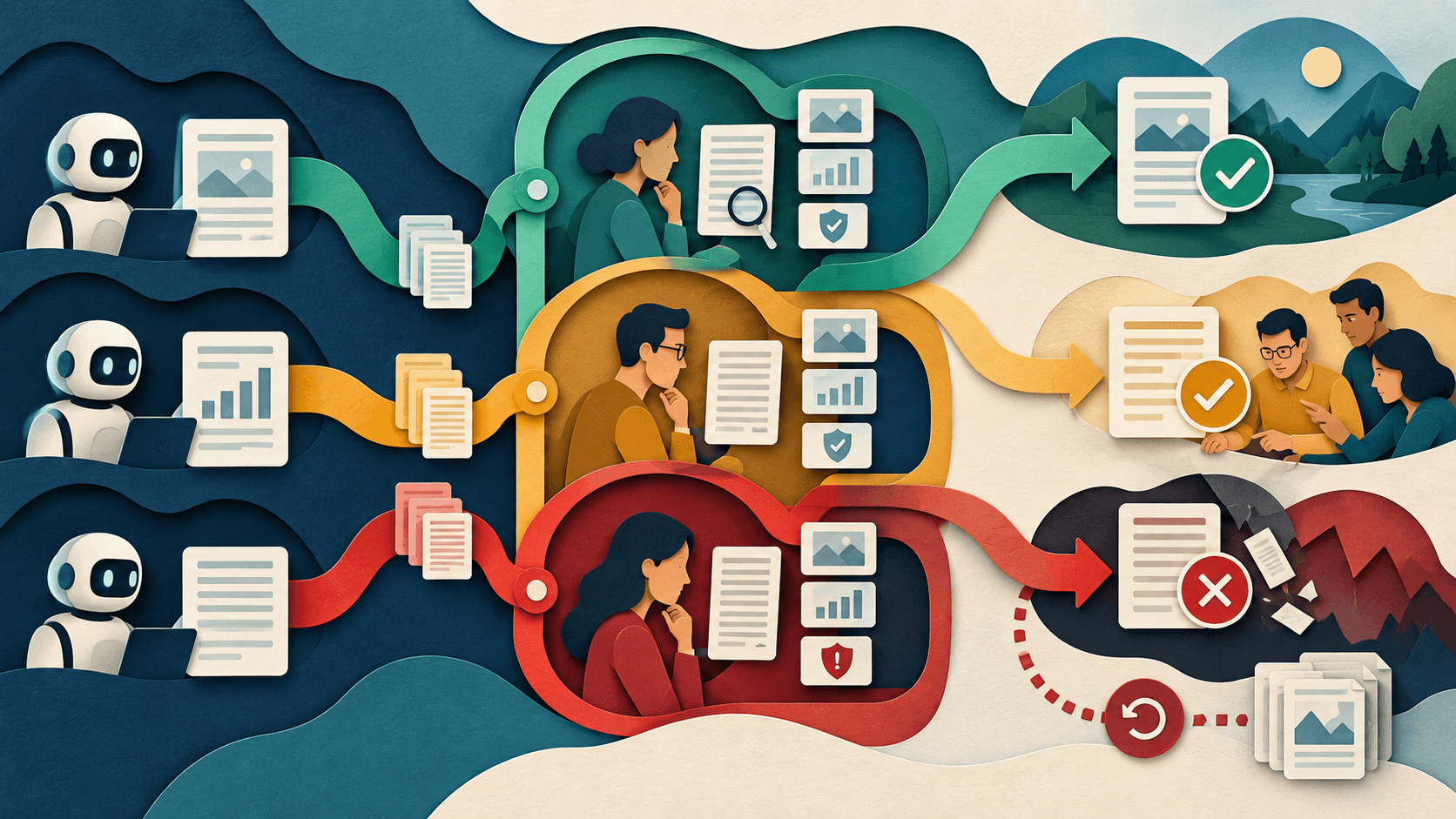
Put approval before external communication, money movement, record deletion, access changes, legal or policy commitments, and other hard-to-reverse actions. Show the reviewer the source data, proposed action, model uncertainty, material changes, and safe alternatives; log the decision and preserve rollback where possible.
Free workflow pilot checklist
Test the workflow before you buy the tool.
Get the buyer checklist, including task, owner, approval, fallback, and time-saved fields—plus one useful briefing a week.
Tier actions by consequence
Low-risk internal drafts can use sampling; customer-facing or record-changing actions need explicit review; prohibited or legally restricted actions should never enter the automated path.
Build a useful review packet
Do not ask someone to approve a naked output. Present the request, sources, policy checks, differences from the current record, confidence signals, affected people, and downstream action.
Measure the gate
Track rejection reasons, correction time, reviewer disagreement, rubber-stamp rate, escaped errors, queue age, and reversals. High approval with low attention may be a warning, not success.
What readers should do
Shadow the approval flow for two weeks. Seed known bad outputs, missing evidence, wrong recipients, duplicates, policy conflicts, and expired data. Confirm reviewers catch them without unacceptable delay or alert fatigue.
Claims were checked against the linked primary sources on September 18, 2026. Company-reported results, forecasts, and beta expectations are attributed evidence—not independent guarantees.
Transparency
How this guide was checked
Editorial accountability
Who checked this guide
- Evaluation type
- Research-based verification
- Last materially checked
- Evidence
- 4 listed sources
Hands-on testing is identified explicitly. Research-based coverage uses cited product documentation and other named sources; it does not imply every paid plan was used. Read the full methodology.
Editorial basis
What this guidance is based on
- Editorial basis
- Source-led analysis
- Primary references
- 4
- Products covered
- 3
- Last checked
- 2026-09-18
Important limits
- • Announcements and internal measurements may not generalize to other organizations.
- • Availability, policy, pricing, and product behavior can change.
Sources and references
References cited by this article. Check the original source for scope, dates and current terms.
Frequently asked questions
Which AI actions need human approval?
External messages and hard-to-reverse actions involving money, records, access, commitments, or people.
What should an approval screen show?
Sources, proposed changes, policy checks, uncertainty, affected systems, and safe alternatives.
Can low-risk work skip approval?
Some low-risk internal work can use sampling if monitoring, ownership, and escalation remain.
How do you detect rubber-stamping?
Track review time, seeded-error detection, disagreement, corrections, escaped errors, and reversals.
Recommended tool
Use Zapier AI if this workflow fits your team
It gives this category a focused option when a general chatbot starts feeling too broad or too manual.
Tools mentioned in this article
Zapier AI
A practical AI tool for productivity workflows
Zapier AI helps professionals improve productivity workflows with AI-assisted drafting, automation, analysis, or production features.
n8n
A flexible workflow-automation platform for AI agents, APIs, data, code, and human approvals
n8n offers unusually deep automation and deployment control, but workflow ownership, execution economics, credentials, failures, and self-hosting operations determine its real value.
Gumloop
A visual platform for AI workflows, agents, triggers, scraping, and connected business automation
Gumloop builds visual AI workflows and agents for defined business processes; compare it on accepted outcomes, failure recovery, reviewer time, and total credits.
Read next