HubSpot AI
A practical AI tool for sales workflows
Not rated
HubSpot AI helps professionals improve sales workflows with AI-assisted drafting, automation, analysis, or production features.
FreemiumSalesMarketing
A conversation-first sales CRM with calling, email, SMS, workflows, and Chloe
Advisor score
Documented editorial evaluation
We may earn a commission if you sign up through this link, at no additional cost to you. The relationship does not affect our rating or editorial verdict.
The decision
Shortlist Close when selling work is centered on frequent calls, emails, texts, and pipeline follow-up. Pilot the real motion before migrating, and budget seats, communications, AI credits, administration, and compliance together.
Best for
Small and midsize inside-sales teams with high conversation volume; Teams replacing separate CRM, dialer, email, and SMS tools.
Choose something else if
Companies seeking a broad marketing, customer-service, commerce, or ERP suite; Field-sales teams whose core work happens outside an inside-sales communication flow
Evidence
Editorial research pending · 8.6/10
Pricing checked
From $9 · Sep 17, 2026
Free access is available, with limits.
No permanent free plan is advertised. Close currently offers a 14-day trial without a credit card and a 30-day money-back guarantee after purchase; verify current terms before subscribing.
We may earn a commission if you sign up through this link, at no additional cost to you. The relationship does not affect our rating or editorial verdict.
Community choice
Loading weekly votes…
One vote per verified account per tool, counted for seven days. Return after your vote expires to support again. Community votes influence homepage trends, never editorial ratings. Voting does not subscribe you to emails.
Close is a sales-focused CRM designed around the conversations that move leads through a pipeline. It combines lead and opportunity records with email, calling, SMS, workflows, reporting, mobile apps, API access, and Chloe, its native AI sales teammate.
Close is worth shortlisting for small and midsize sales teams that want outreach and pipeline execution in the same system. Its fit is weaker for organizations that need a broad marketing, service, commerce, or enterprise application suite around the CRM.
Run a 14-day pilot with a clean, consented lead segment and the exact channels your team will use. Measure time to first response, connect and reply rates, qualified meetings, no-shows, rep follow-up time, workflow errors, email delivery, opt-outs, call quality, transcription accuracy, Chloe escalations, AI credits, telephony, and total cost per accepted opportunity. Review every AI script and a representative call sample, test suppression and stop rules, reconcile CRM writes, and compare the result with your existing process before migrating more data.
Personal Recommendation
Shortlist Close when selling work is centered on frequent calls, emails, texts, and pipeline follow-up. Pilot the real motion before migrating, and budget seats, communications, AI credits, administration, and compliance together.
Try the recommendation
Its native communication stack and sales-specific workflow model can turn the CRM from a passive database into the place representatives actually work.
We may earn a commission if you sign up through this link, at no additional cost to you. The relationship does not affect our rating or editorial verdict.
Overall Score
Editorial Review Framework
Overall Score
8.6
Ease of Use
8.8
AI Quality
8.2
Features
9.0
Speed
8.8
Integrations
8.0
Value for Money
8.4
Customer Support
8.4
Learning Curve
8.4
Recommended Because…
Its native communication stack and sales-specific workflow model can turn the CRM from a passive database into the place representatives actually work.
Scores use a 0-10 editorial scale: 9–10 exceptional, 8–8.9 strong, 7–7.9 capable with material tradeoffs, 6–6.9 limited fit, and below 6 not recommended. Scores publish only when a documented evaluation supports them.
Reusable trial worksheet
Turn this review’s buyer test into evidence. Your entries autosave only in this browser and are never added to shared shortlist links.
Confirm the tool meets every must-have workflow and stakeholder requirement.
Review starting point: Small and midsize inside-sales teams with high conversation volume; Teams replacing separate CRM, dialer, email, and SMS tools; Organizations prepared to govern automated outreach, consent, recordings, and AI scripts
Run the same representative work you would use in production; do not score a polished demo.
Review starting point: Complete three to five representative tasks with known acceptable outcomes and compare them with your current process.
Calculate the effective cost per accepted result, including usage, review, corrections, and required add-ons.
Review starting point: Close currently lists Solo at $19 per user/month ($9 billed annually), Essentials at $49 ($35 annually), Growth at $109 ($99 annually), and Scale at $149 ($139 annually). Plans include 500, 1,000, 1,500, or 2,000 monthly AI credits per user, subject to account caps. Calling, SMS, phone numbers, AI-credit overages, Call Assistant, and extra organizations can…
Define an acceptance threshold, test known answers and edge cases, and record every correction.
Review starting point: Editorial quality signals: features 4.5/5; AI quality 4.1/5. Validate these signals in your own work.
Verify what data enters the product, who can access it, how long it is retained, and whether it trains models.
Review starting point: Use approved low-risk data first. Check roles, consent, deletion, subprocessors, model-training settings, and the contract—not only the marketing page.
Test the real handoffs, permissions, failure states, and export path your team depends on.
Review starting point: Gmail, Google Calendar, Microsoft 365, Zoom, Zapier, Make, Segment, Calendly
Record training, governance, reliability, accessibility, ownership, and change-management risks before rollout.
Review starting point: Total cost extends beyond seat price to telephony, phone numbers, AI credits, and add-ons; Workflows and stronger automation require Growth or Scale; Chloe voice calls are currently outbound, English-only, and limited to US and Canadian numbers
Loading saved worksheet… · private to this device or your optional account
Editorial freshness
Pricing and material product claims were checked September 17, 2026.
Community evidence
Structured, editor-moderated experience—not star ratings. This complements our independent review and never changes its score.
No approved community evidence yet. Be the first verified user to contribute.
Close is best for inside-sales teams that spend much of the day calling, emailing, texting, qualifying, and following up with leads. It combines those conversations with pipeline records and workflows, reducing dependence on a separate dialer or sequencing tool.
Close currently lists Solo at $19 per user/month ($9 billed annually), Essentials at $49 ($35 annually), Growth at $109 ($99 annually), and Scale at $149 ($139 annually). Plans include 500, 1,000, 1,500, or 2,000 monthly AI credits per user, subject to account caps. Calling, SMS, phone numbers, AI-credit overages, Call Assistant, and extra organizations can add separate charges. Verified September 17, 2026.
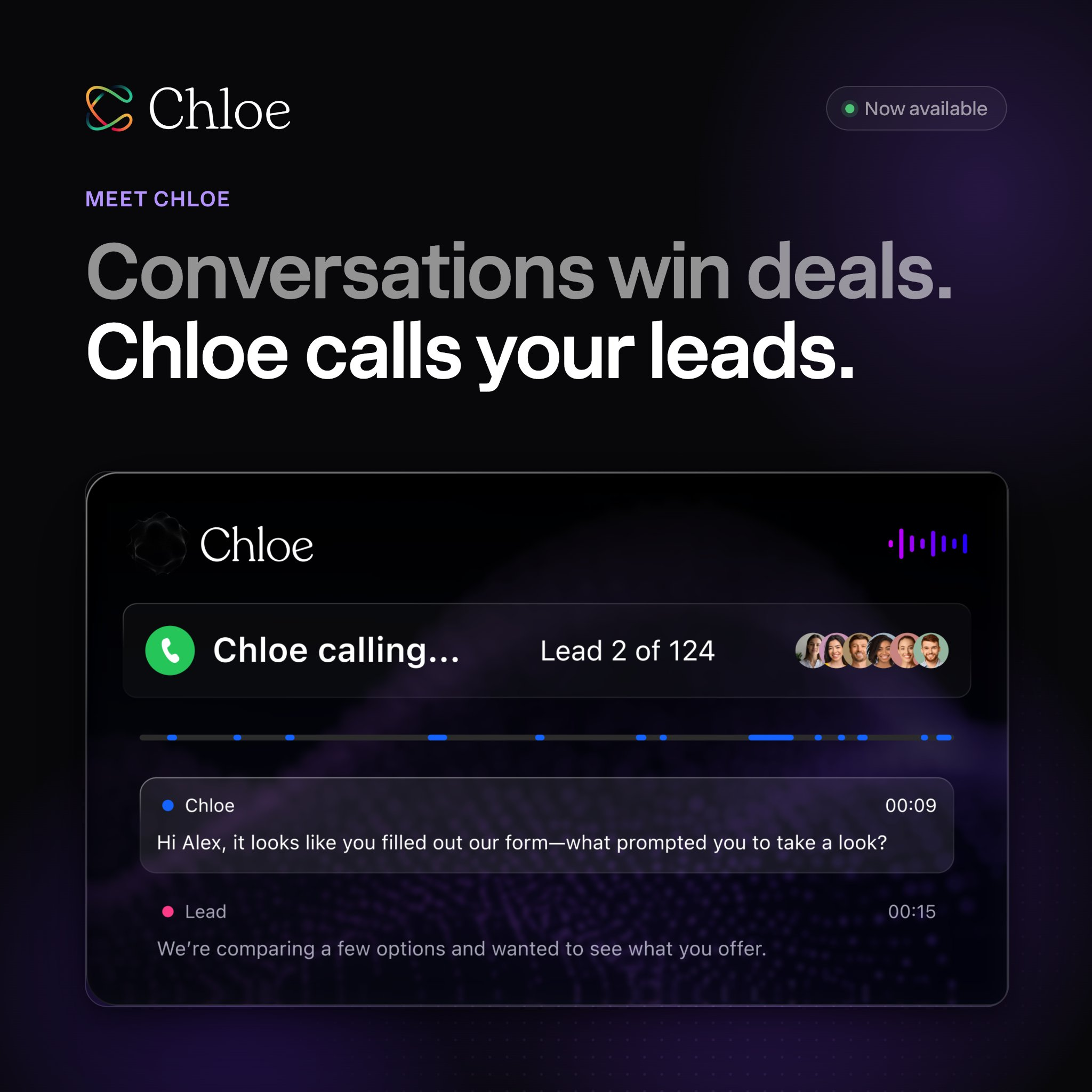
Chloe is Close's built-in AI sales teammate. Chloe Chat can answer questions and work with CRM context; Voice Agents can place outbound calls, qualify leads, book meetings, transfer calls when configured, and log transcripts, summaries, and outcomes. Voice calls use AI credits and telephony.
No permanent free plan is advertised. Close currently offers a 14-day free trial without a credit card. Confirm the current trial, refund, data-retention, and cancellation terms before importing important CRM data.
Keep Deciding
Day AI Review 2026: Company Memory, GTM Agents & Pricing
Day AI combines permission-aware company memory with role-based agents that can prepare meetings, draft follow-ups, manage pipeline work, and run scheduled go-to-market tasks.
Aircall Review 2026: Features, Pricing, and Risks
Aircall is a cloud business-phone platform with calling, routing, recording, analytics, CRM integrations, transcription, summaries, and AI conversation insights.
Calilio Review 2026: Is This Cloud Phone System Worth It?
A research-based Calilio review of virtual numbers, cloud calling, SMS, AI call reports, pricing, integrations, risks, and a 14-day buyer test.
Best AI CRM Tools
CRM and revenue tools that help teams prioritize accounts, write follow-ups, and keep deals moving.
Best AI Tools for Consultants & Coaches (2026)
The best AI tools for proposals, meeting summaries, client notes, course creation, marketing, and turning expertise into reusable content.
Best AI Tools for Virtual Assistants (2026)
The best AI tools for inbox and calendar support, meeting notes, research, content production, client communication, and repeatable automation.
Sales & Outreach
AI sales tools, email automation, lead generation, and CRM assistants.
Material changes only
Get an occasional email when something decision-relevant changes. This is separate from the weekly newsletter.
See how similar tools stack up
A practical AI tool for sales workflows
HubSpot AI helps professionals improve sales workflows with AI-assisted drafting, automation, analysis, or production features.
Build, run, and govern multichannel outbound sales from one platform
Reply.io is a sales-engagement platform for prospect data, email and multichannel sequences, deliverability, inbox management, meetings, analytics, CRM integrations, and Jason AI SDR.
Research prospects, run multichannel outreach, handle replies, and book meetings
AiSDR is an AI sales-development platform for signal-based prospecting, researched email and LinkedIn outreach, reply handling, meeting booking, deliverability, and CRM synchronization.