In this guide
The Short Answer
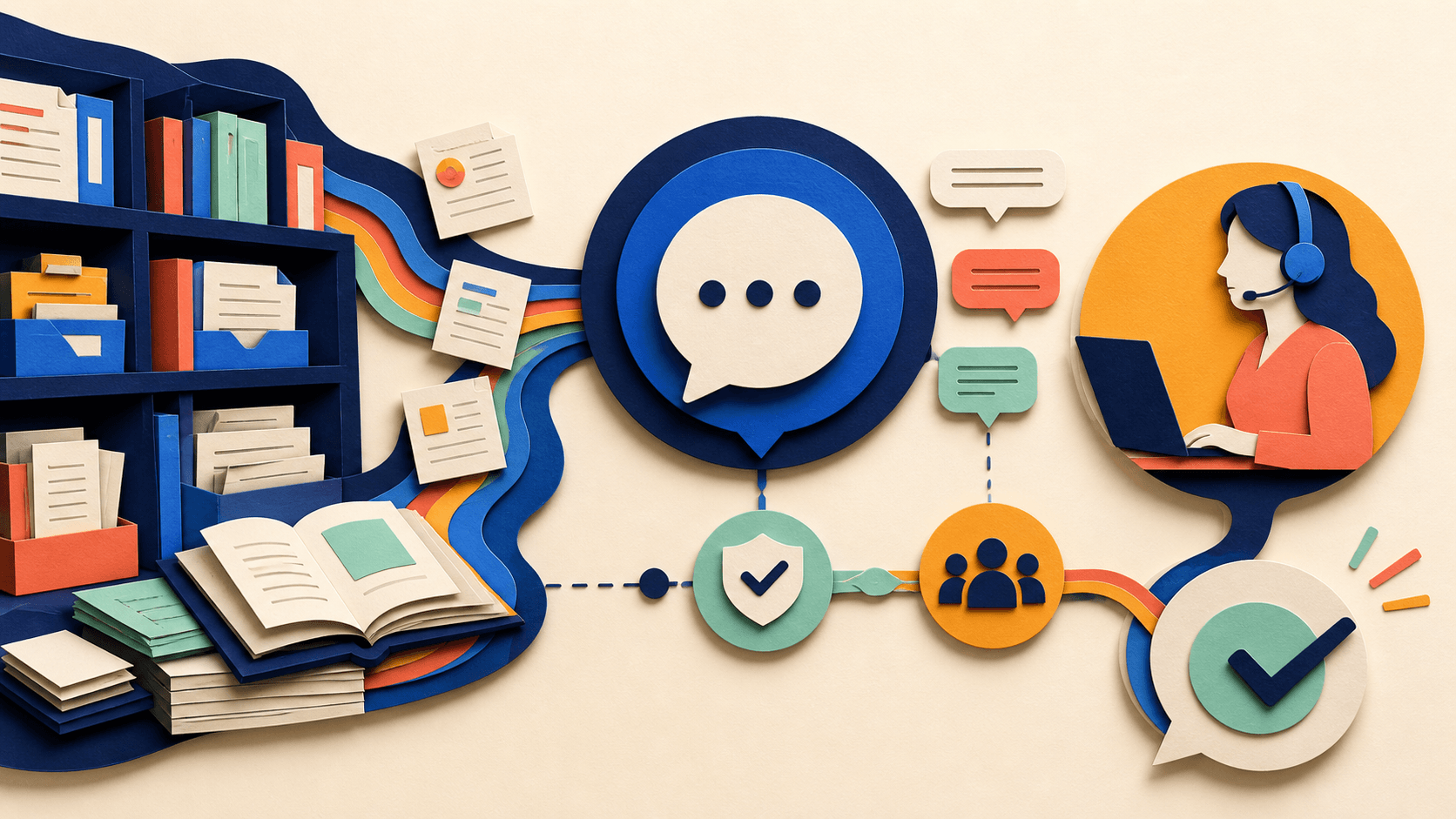
A practical AI customer support system for a small business consists of four layers: a searchable knowledge base (your single source of truth), AI-powered chat that answers from that knowledge base, automated email response suggestions, and clear escalation rules for when the AI hands off to a human. You can implement this progressively over 4-8 weeks, starting with the highest-ROI component (usually the knowledge base) and adding layers as you confirm each one works.
The goal isn't to replace your human support team — it's to eliminate the repetitive work that burns them out and keeps them from handling complex, relationship-building conversations. In organizations that do this well, customer satisfaction typically stays flat or improves, while support team burnout drops significantly.
Free AI service workflow checklist
Keep customer-facing AI helpful and supervised.
Get a checklist for escalation, consent, accuracy, permissions, and recovery—plus one practical briefing a week.
Layer 1: The Knowledge Base (Week 1-2)
Every AI support system depends on a source of truth. Without one, your chatbot will hallucinate answers, your AI email suggestions will be generic, and your team will still answer the same questions manually.
What to include: Start with your 20 most common support questions. For each, write a clear, concise article with the answer, any steps involved, and a 'still need help?' fallback. Your existing support inbox and ticket history will tell you exactly what these questions are — sort by frequency.
Tools that work for small teams:
- Help Scout's Docs + AI Answers for integrated knowledge base and AI chat.
- Intercom's Fin AI bot for knowledge-base-powered chat on a per-resolution pricing model.
- Notion + a simple FAQ page as a zero-cost starting point.
- Zendesk's Answer Bot if you're already using Zendesk for ticketing.
Testing: Before connecting AI, have a non-technical colleague try to answer the top 20 questions using only your knowledge base. If they can't, your AI won't be able to either. Fix the gaps in documentation first.
Layer 2: AI-Powered Chat (Week 2-4)
Once your knowledge base is solid, connect it to an AI chatbot on your website or in your app.
What the chatbot should do:
- Answer common questions by searching your knowledge base.
- Collect relevant information before escalating (name, order number, issue summary).
- Recognize when it can't answer and escalate to a human cleanly.
- Match the tone and voice of your brand — not sound like a generic robot.
What it should not do:
- Pretend to be human. Disclose that it's an AI assistant.
- Make promises about refunds, cancellations, or policy exceptions.
- Access customer data without explicit permission.
- Continue trying to help when the customer is clearly frustrated. Escalate early on signs of anger or repeated questions.
Tool selection criteria: Choose a chatbot that pulls from your knowledge base (not one you have to train separately), offers clear pricing per resolution or per month (not usage-based pricing that surprises you), and provides analytics on what it's answering vs escalating.
Budget option: For very small businesses, Tidio's Lyro AI bot or a simple website chatbot pulling from a public FAQ page can work. For growing businesses, Intercom Fin or Zendesk AI agents offer more sophisticated routing and analytics.
Layer 3: Email Response Automation (Week 3-6)
AI email assistance works best as a suggestion engine, not an auto-responder. The most practical approach for small teams:
- AI drafts a response based on the inquiry and knowledge base.
- A human reviews and personalizes before sending.
- Over time, as trust builds, common query types can be auto-sent with human oversight on a sample basis.
This approach catches the efficiency gains (not typing responses from scratch) while avoiding the risks (sending incorrect or tone-deaf automated replies). Most help desk platforms now include AI response drafting — Help Scout, Zendesk, Intercom, and Front all offer this feature.
Implementation tip: Create 5-10 response templates for your most common inquiry types, enhanced with AI for personalization. The template handles structure and policy compliance; the AI handles personalization and detail. This combination produces more reliable results than pure AI generation.
Layer 4: Escalation Rules and Human Handoff (Week 4-8)
The most important part of an AI support system is knowing when to get out of the way.
Escalate to a human when:
- The customer explicitly asks for a human.
- The AI has asked clarifying questions twice without resolving the issue.
- The issue involves billing disputes, cancellations, or policy exceptions.
- The customer's language indicates frustration, anger, or distress.
- The question involves legal, safety, or privacy concerns.
- The AI's confidence score for the answer is below your threshold (start at 80%).
Make the handoff seamless: The human agent should see the full conversation history, the AI's attempted resolution, and any information already collected. Nothing frustrates a customer more than repeating themselves after already explaining the issue to the bot.
Staff the escalation path: If you add AI chat, you must also staff the human escalation path. An AI chatbot without a backed-up human team is worse than no chatbot at all.
Measuring Success
Track these metrics monthly:
- Resolution rate: What percentage of AI-handled conversations were resolved without human escalation? Target: 40-60% within 3 months.
- Customer satisfaction (CSAT): Compare CSAT scores for AI-resolved vs human-resolved conversations. They should be within 10% of each other.
- Time to first response: Should drop significantly as AI handles the immediate acknowledgment and initial troubleshooting.
- Agent time saved: Hours per week your team is no longer spending on routine inquiries.
- Escalation quality: Are escalated conversations well-prepared, or is the handoff creating extra work?
If CSAT drops after implementing AI, pause and investigate before expanding. Speed isn't worth it if it damages customer relationships.
What Not to Do
- Don't hide the fact that customers are talking to AI.
- Don't use AI for billing disputes, refund decisions, or policy exceptions.
- Don't launch without testing your knowledge base coverage.
- Don't implement AI chat without staffing the human escalation path.
- Don't optimize purely for deflection rate — optimize for customer outcomes.
Transparency
How this guide was checked
Editorial accountability
Who checked this guide
- Author
- Discover AI Editorial
- Evaluation type
- Research-based verification
- Last materially checked
- Evidence
- 3 listed sources
Hands-on testing is identified explicitly. Research-based coverage uses cited product documentation and other named sources; it does not imply every paid plan was used. Read the full methodology.
Editorial basis
What this guidance is based on
- Editorial basis
- Source-led analysis
- Primary references
- 3
- Products covered
- 5
- Last checked
- 2026-07-22
Important limits
- • Features, availability, and pricing can change after publication; confirm consequential details with the provider.
Sources and references
References cited by this article. Check the original source for scope, dates and current terms.
Frequently asked questions
Will customers hate talking to AI instead of a human?
Customers generally accept AI support for simple, factual questions ('What's your return policy?' 'How do I reset my password?' 'Is this item in stock?') when the AI is helpful and clearly identified. Frustration arises in three scenarios: the AI can't answer and won't escalate, the AI pretends to be human and the customer feels deceived, or the AI is deployed for emotionally charged situations (complaints, billing disputes, cancellations) where only a human can provide genuine empathy and flexibility. The pattern that works: AI for quick answers and information gathering, humans for complex resolution and emotional situations, with seamless handoff between the two.
How much does an AI support system cost for a small business?
Monthly costs range from $0-50 for basic solutions (Notion FAQ + simple chatbot, or Tidio's free tier) to $100-500 for mid-range platforms (Intercom or Zendesk with AI features, Help Scout + AI). For a team of 2-3 support agents at a small business, expect to pay $150-400/month for a solid AI-enabled help desk. The ROI typically justifies this: if AI handles 40% of inquiries and your team spends 20 hours/week on support, you're recovering 8 hours/week of staff time. At a $25/hour loaded labor cost, that's $800/month in recovered time — well above the software cost.
What's the difference between a chatbot and an AI agent for support?
A traditional chatbot follows pre-written decision trees — 'If customer says X, respond with Y.' It can only answer questions it was explicitly programmed for. An AI support agent uses a large language model connected to your knowledge base — it understands the intent behind customer questions and can answer variations it wasn't explicitly trained on. AI agents handle a wider range of questions, require less maintenance (you update the knowledge base, not the bot logic), and degrade more gracefully when they don't know something. For small businesses, AI agents are the better choice in 2026 — the technology has matured enough that decision-tree chatbots are rarely the right answer.
How do I handle customer data privacy with AI support?
Three rules: First, understand where your AI provider processes data — if it's sent to a third-party LLM provider (like OpenAI), your customer data may transit through systems outside your control. Some platforms (Intercom, Zendesk) offer data processing that stays within their infrastructure. Second, never feed sensitive customer data (payment information, health details, identity documents) into an AI support system — strip this information before it reaches the AI. Third, update your privacy policy to disclose AI use in customer support and what data the AI processes. For businesses subject to GDPR, CCPA, or industry-specific regulations (healthcare, legal, financial), consult with a privacy professional before implementing AI support.
Tools mentioned in this article
ChatGPT
The general-purpose AI assistant that started it all
OpenAI's flagship conversational AI model, powering everything from casual chat to complex reasoning, coding, and creative work.
Claude
Anthropic's thoughtful, safety-focused AI with exceptional long-form reasoning
Claude excels at deep analysis, long-form writing, and nuanced reasoning. Built by Anthropic with a focus on safety and helpfulness.
Intercom Fin
A practical AI tool for customer support workflows
Intercom Fin helps professionals improve customer support workflows with AI-assisted drafting, automation, analysis, or production features.
HubSpot AI
A practical AI tool for sales workflows
HubSpot AI helps professionals improve sales workflows with AI-assisted drafting, automation, analysis, or production features.
Notion AI
Workspace AI for search, meeting notes, research, and governed agents
Notion AI is a strong shortlist for teams whose maintained documents, projects, and knowledge already live in Notion. Business-plan cost, allowances, credits, permissions, and source quality determine its value.
Read next
Recommended for you
DocsBot AI Review 2026: Pricing, Accuracy, Privacy, and Fit
A research-based DocsBot AI review covering capabilities, pricing, privacy, limitations, and a fair buyer test.
DocsBot AI turns websites and documents into customer-facing assistants with actions, analytics, and integrations, but credit economics, source freshness, escalation, and sensitive-data controls deserve a realistic support pilot.
Read guide
Can AI Improve Fundraising, Grant Writing, and Donor Engagement Without Weakening Authenticity or Trust in 2026?
How to Use AI for Partnership Development and B2B Outreach in 2026
Customer Onboarding Videos With Sendspark: 2026 Playbook